Is this test failing because of my change, or is it flaky?
The most common question in a red CI run, and the most expensive one to answer wrong: re-run a real regression and you ship the bug; chase a flake and you lose an afternoon. Piwi answers it from history you already have, in about a minute.
1. Open the run's Insights tab
A run compares itself against its last passing baseline and sorts the failures for you. The distinction you want is right there in the headings:
- New regressions — this test was passing on the baseline and is failing now.
- Recurring failures — it was already failing before your change.
- New flaky — it failed and passed within the same run, or has started alternating.
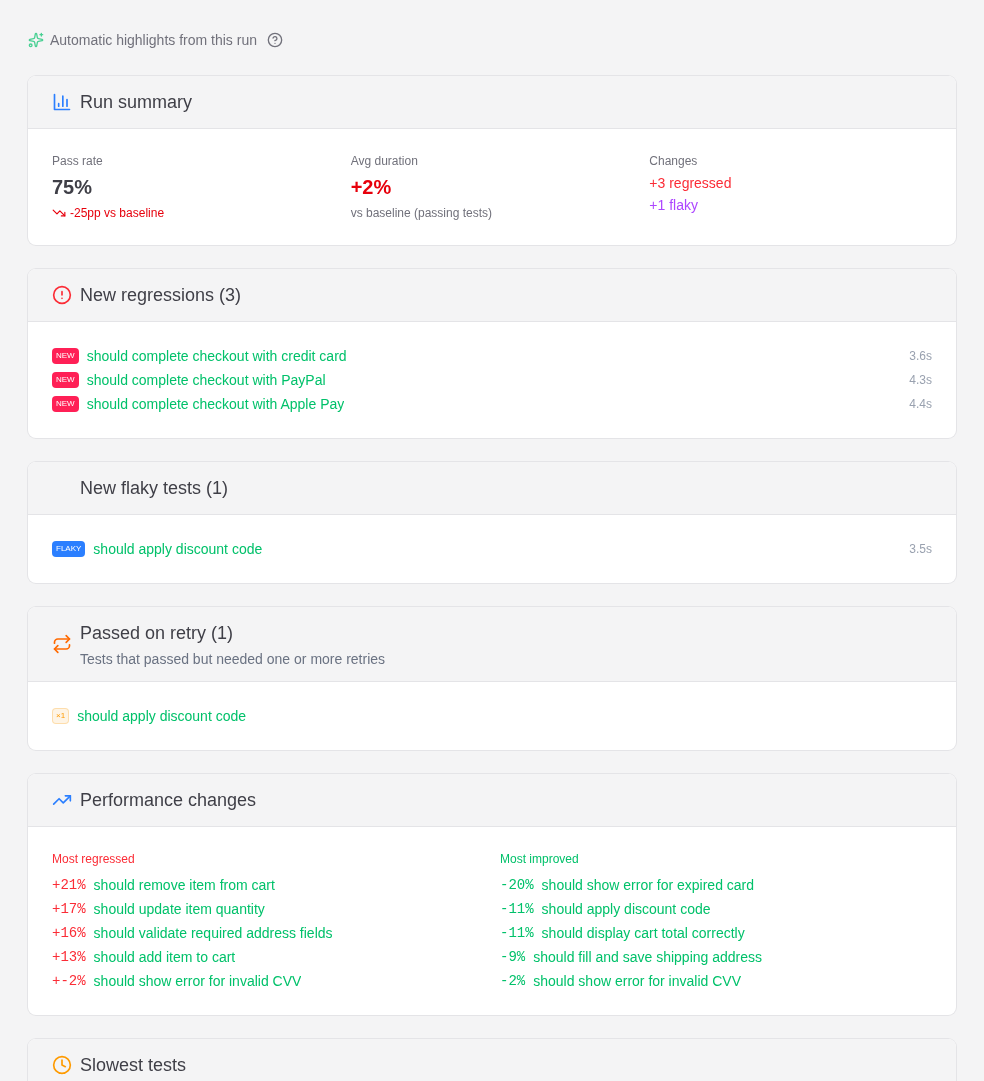
If your test is under New flaky, stop here: it isn't your change. Jump to cutting flakiness when you have time to spend on it.
2. Check the test's own history
A single run can lie — a flaky test lands in "new regressions" whenever the baseline happened to be green. Open the test case and read its status history and stability trend: pass rate, flaky rate, and duration bucketed over time.
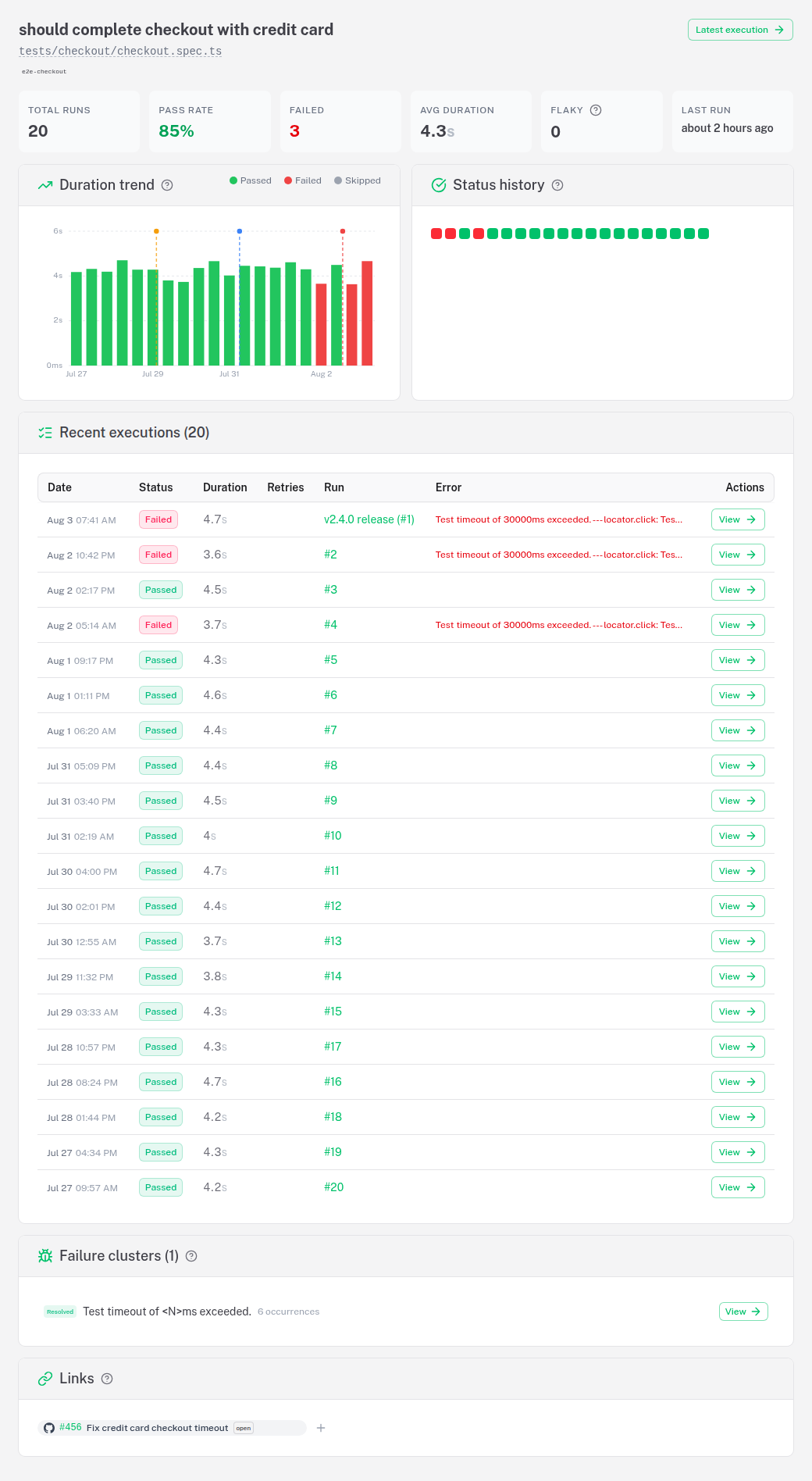
Read it like this:
| History looks like | Verdict |
|---|---|
| Solid green, then red from one run onward | A regression. Find the commit in that gap. |
| Red/green alternating for weeks | A flake that happened to fail on your run. |
| Green, then red, and the failing execution passed on retry | A flake — the passed on retry chip is on the execution's Verdict card. |
| Newly red and the failure is shared with other tests | Probably neither — see triaging a mass failure. |
3. Find what changed around it
Once you know it's a real regression, narrow the window:
- The failing execution's Verdict card links back to the last green run, so you have two commits to diff between.
- If the drop lines up with a deploy or an infrastructure change, a timeline marker draws it as a vertical line on the trend chart — "it started the day we switched CI runners" is a much faster answer than a bisect.
- With AI diagnosis configured, the cluster's explanation is read against your actual git diff since the last green run, and any suggested patch is checked against your source before you see it. Optional, off by default.
Other ways to get the same answer
Not everyone wants to click through a dashboard mid-review.
Ask your coding agent. The MCP server is built into the running instance — nothing to install. get_run_insights returns the same regression / recovery / new-flaky split this page walks through, and get_test_stability_trend answers "is this getting flakier?" for one test.
Wire it into CI. The CI gate already knows the difference: a test in quarantine keeps running and keeps reporting, but doesn't block the merge — and the gate always states how many failures it excluded.
Get told instead of looking. Notifications let you subscribe to run.failed.default_branch rather than run.failed, so you hear about main going red instead of every red branch build — the difference between an alert people read and one people mute. flakiness.spike fires separately when flakiness crosses your configured threshold.
See also
- Flaky tests — how the composite score and root-cause categories are computed
- Core concepts — test case vs execution, the distinction this recipe leans on
- Timeline markers — correlating a drop with a deploy